
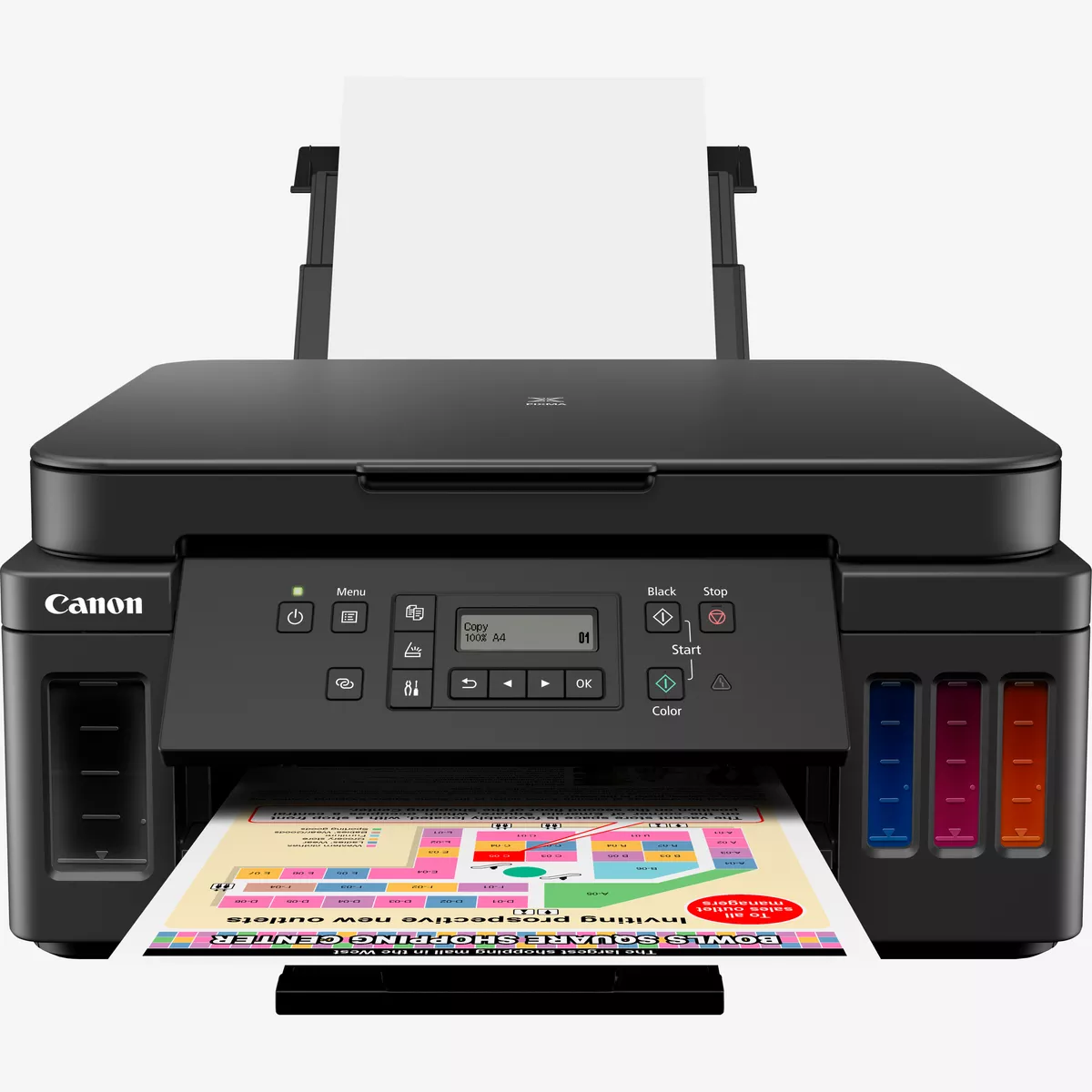
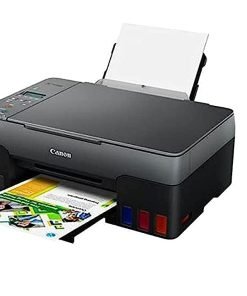
Canon Pixma G6040 All In One inkjet Printer
- 3-in-1 home or office inkjet printer
- A4, print, copy, scan
- Wi-Fi, Ethernet, USB
Canon Pixma G6040 All In One inkjet Printer
The Canon PIXMA G6040 is a 3-in-1 inkjet printer (print, scan, copy) built around Canon’s refillable ink tank / “MegaTank” (also referred to as “SuperTank” or “CISS”-style) system. It is designed for users who print in moderate to high volumes but want to lower running costs by avoiding frequent cartridge replacements.
Printer Specifications
- Print ResolutionUp to 4800 x 1200 dpi
- Print Technology2 FINE Cartridges (Black and Colour)
Refillable ink tank printer - Mono Print SpeedApprox. 13.0 ipm
- Colour Print SpeedApprox. 6.8 ipm
- Photo Print SpeedBorderless 10x15cm : Approx. 45 seconds
- Borderless PrintingYes A4, LTR, 4″x6″, 5″x7″, 8″x10″, Square(5″x5″,4″x4″,89x89mm)
- Two Sided PrintingAuto Duplex Print (A4, A5, B5, Letter – Plain Paper)
Cartridges and Yields
- Standard Ink CartridgesGI-40 <PGBK>
GI-40 <C>
GI-40 <M>
GI-40 <Y> - Cartridge Yield (Plain Paper)A4 colour documents printing
Black: 6,000 pages
Colour: 7,700 pages
* Estimated supplemental yield - Cartridge Yield (Photo)10x15cm colour photo printing
Colour: 2,200 photos
* Estimated supplemental yield
Scanner Specifications
- Scanner TypeCIS flatbed photo and document scanner
- Scanner Resolution (Optical)1200 x 2400 dpi
- Line Scanning SpeedColour: 3.5 ms/line(300dpi)
Greyscale: 1.5 ms/line(300dpi) - Scanning Depth (Input / Output)Colour: RGB each 16bit/8bit
Greyscale: 16 bit / 8 bit - Maximum Document SizeA4/LTR
Copier Specifications
- Copy SpeedsFCOT: Approx. 20 sec
sESAT: Approx. 5 sec - Multiple Copy99 copies (max.)
- Copy FunctionsDocument Copying, Photo Copying, Borderless copy, 2-sided copy, 2-on-1 and 4-on-1 copy, Frame erase copy, ID copy
- Copy Zoom25 – 400% (in 1% increments)
Fit to page
A5 to A4, B5 to A4, A4 to A5 and A4 to B5
Connectivity
- Standard InterfaceHi-Speed USB (B Port)
Ethernet: 10/100Mbps (auto switchable)
Wi-Fi: IEEE802.11 b/g/n
Wi-Fi Security: WPA-PSK, WPA2-PSK, WEP, Administration password
Wireless LAN Frequency Band: 2.4GHz - Mobile AppsCanon PRINT Inkjet/SELPHY app
Easy-Photo Print Editor
Message In Print app
PIXMA Cloud Link
Canon Print Service Plugin (Android)
Apple AirPrint
Wireless Direct
Access Point Mode
LAN/WLAN PictBridge
Mopria (Android)
Software
- Supported Operating Systems
Chrome OS
Windows 10, Windows 8.1, Windows 7 SP1
Operation can only be guaranteed on a PC with pre-installed Windows 7 or later.
Printer driver and IJ Network Device Setup Utility are available with following OS.
Windows Server 2008 R2 SP1、Windows Server 2012 R2、Windows Server 2016OS X 10.10.5~OS X 10.11 、macOS 10.12~macOS 10.14
- Supported Mobile SystemsiOS, Android, Windows 10 Mobile
- Minimum System RequirementsWindows: 2.0GB or more
Mac: 1.0GB or more
Note: for bundled software installation. The necessary amount of hard disk space required.
Display: 1024 x 768 XGA - Software IncludedMP Driver
IJ Printer Assistant Tool
Easy-Photo Print Editor (download)
Physical Features
- Weightapprox. 8.1kg
- Dimensions (W x D x H)approx. 403 x 369 x 195 mm
- Acoustic Noise Levelsapprox. 50.5dB(A)
- Power SourceAC 100-240V, 50/60Hz
- Power ConsumptionOff: Approx. 0.3W
Standby (connected to PC via USB): Approx. 0.8W (scanning lamp off)
Standby (all ports connected): Approx. 1.7W (scanning lamp is off)
Time to enter Standby mode: 11min 10sec
Copying (USB connection to PC): Approx. 15W - Typical Electricity Consumption0.14kWh
Related products
Canon Printers | Scanners | Cartridges
Canon Printers | Scanners | Cartridges
Canon Printers | Scanners | Cartridges
Canon Printers | Scanners | Cartridges